
Ciontek CM30 Launcher
The Ciontek CM30 Launcher provides a secure and controlled environment for unattended payment devices, allowing merchants and partners to configure device behavior, restrict user access, and optimize unattended operation.
- Overview
- Key Features
- Operating Modes
- Access Launcher Settings
- Launcher Configuration Options
- Get Support
Overview
The Ciontek CM30 launcher is designed to provide enhanced security and usability for unattended payment environments. It enables businesses to control device access, configure automatic application launching, and restrict system-level functionality to ensure devices remain focused on their intended use case.
The solution is designed to provide a set of core capabilities that enhance both security and usability.
Key Features
👉 Hide system software buttons
Prevents access to system navigation and device settings, ensuring users cannot exit the intended flow.
👉 Auto-start application configuration
Defines which application will automatically launch when the device starts.
👉 Timer-based auto-start
Allows configuration of a delay before the selected application launches.
👉 Startup mode selection
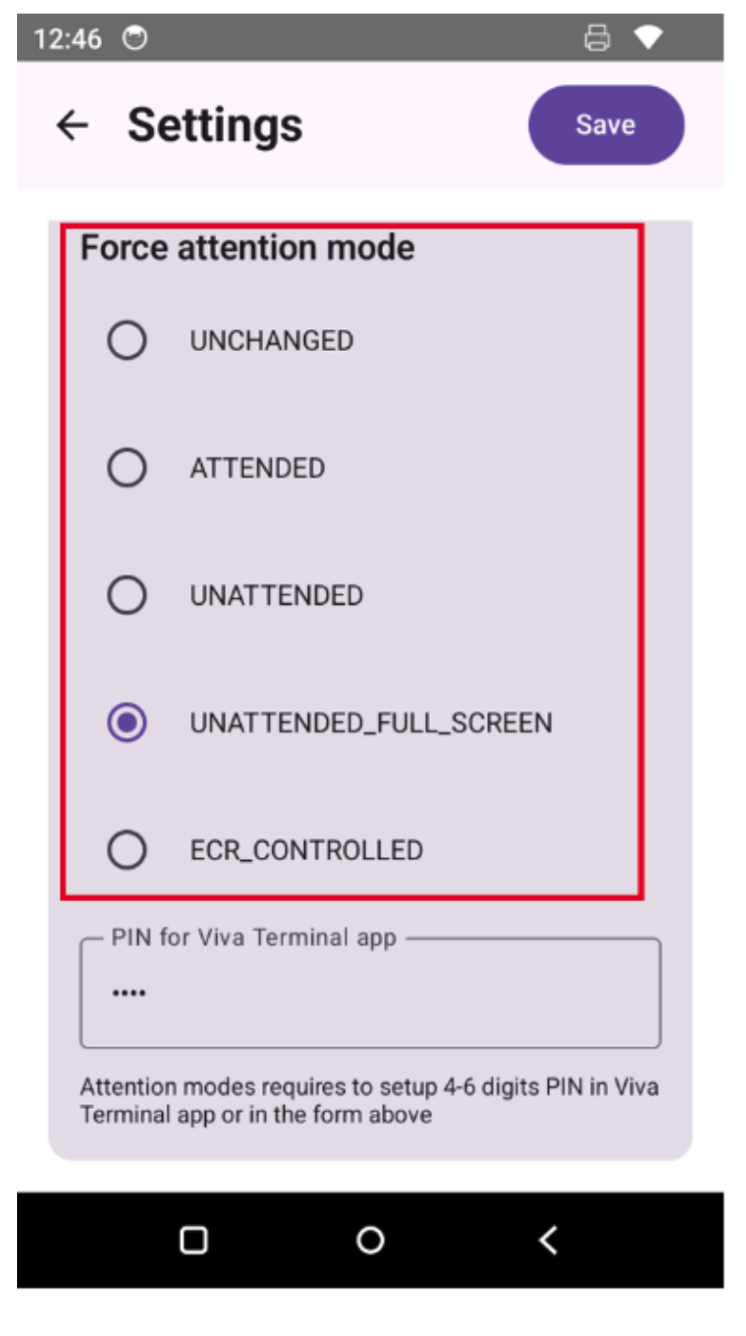
Determines how the device behaves during startup, based on different operational needs.
Available modes:
- Attended Mode
- Unattended Mode
- Fully Unattended Mode
Operating Modes
The solution supports multiple operating modes, allowing businesses to adjust the level of restriction and control based on their environment.
1️⃣ Attended Mode
In this mode, the device operates without restrictions:
- All software buttons are visible
- Full access to the device is allowed
2️⃣ Unattended Mode
Designed for controlled usage:
- All software buttons are hidden
- End users are restricted to approved functionality
3️⃣ Fully Unattended Mode
Maximum restriction and security:
- The launcher occupies the entire screen
- All system controls and navigation are disabled
- The device is fully locked to its intended use case
Access Launcher Settings
To access the launcher settings:
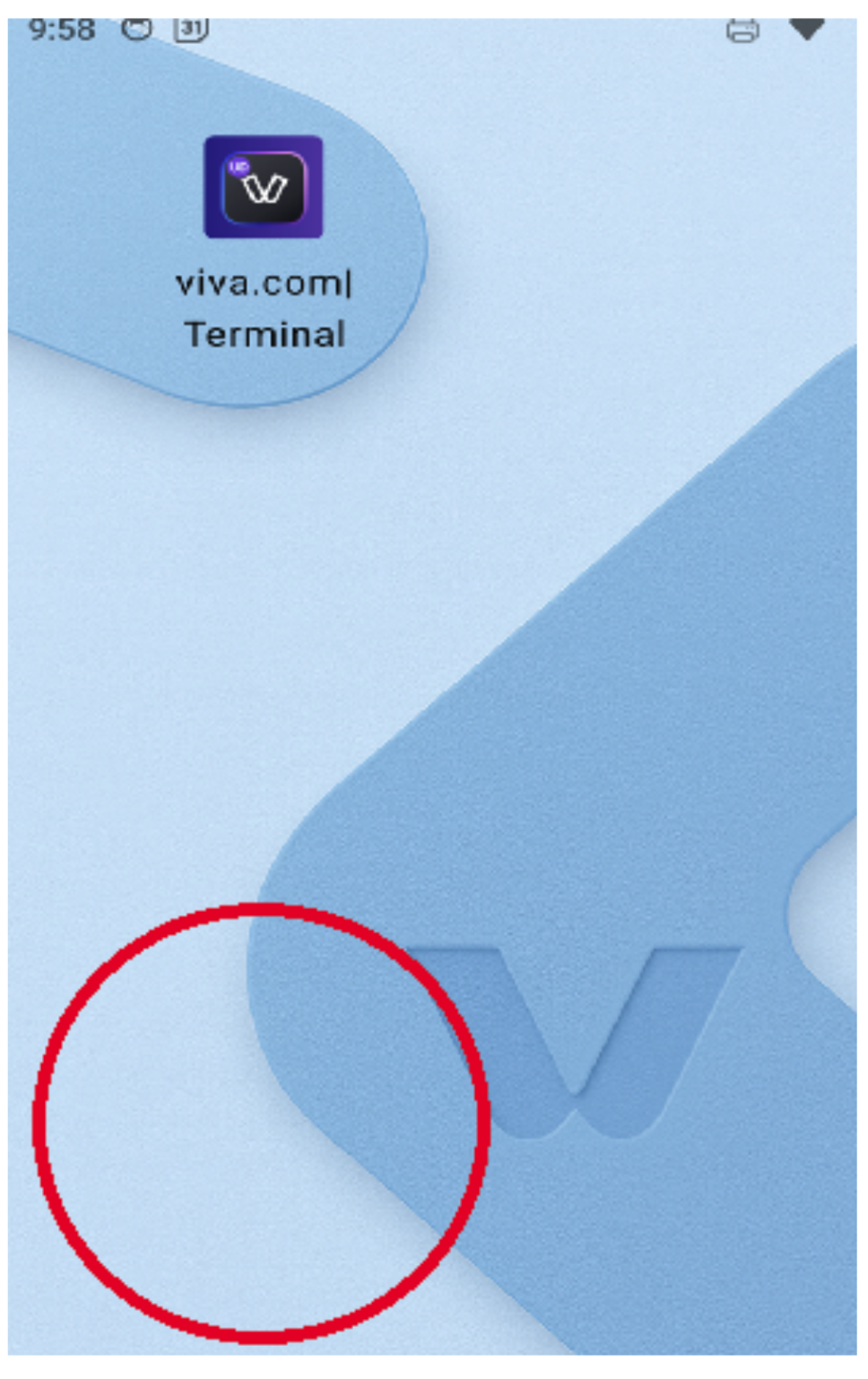
- Tap 10 times on the bottom-left area of the screen (inside the red circle shown in the screenshot below).
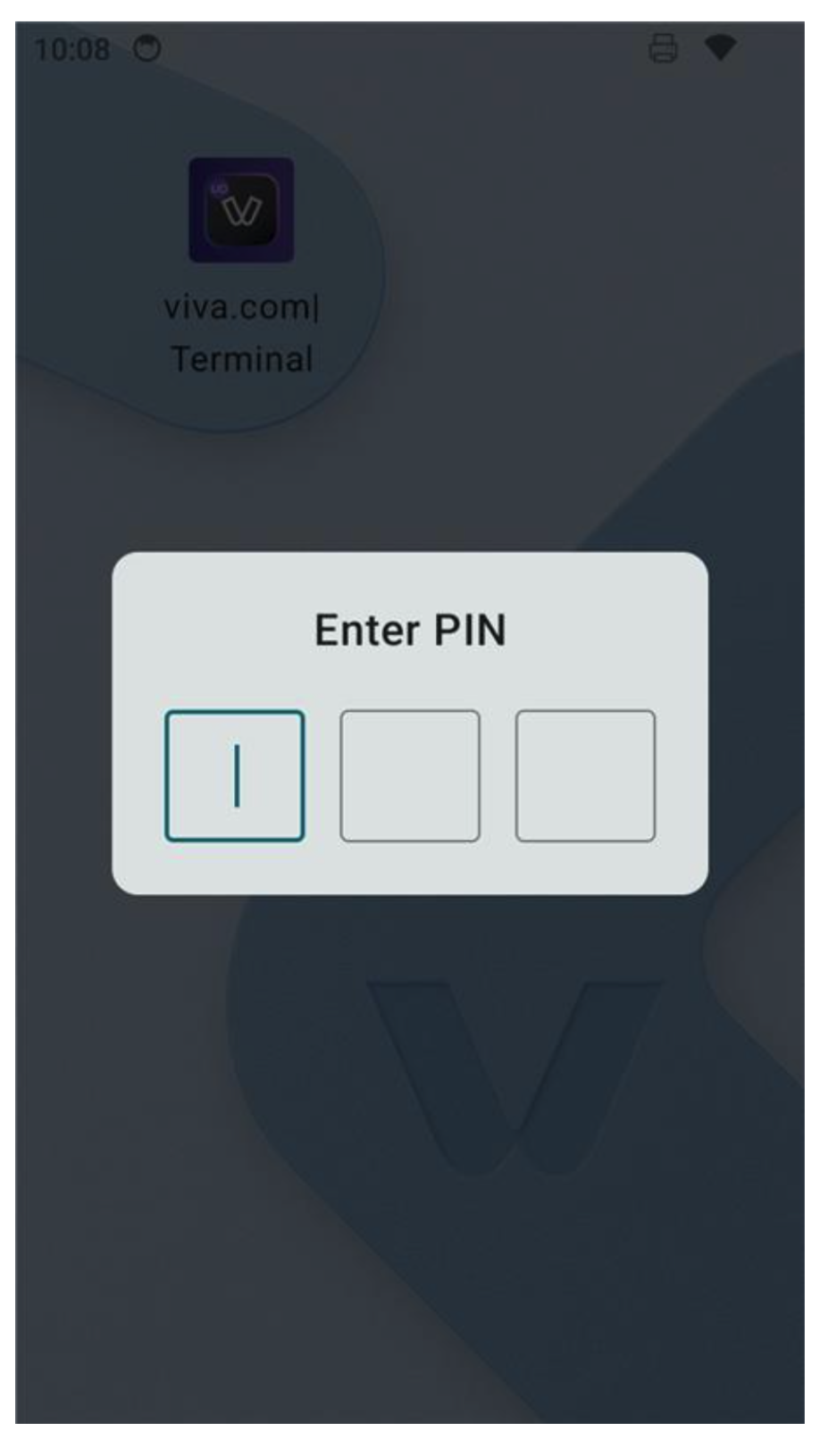
- Enter the PIN 112
 |
 |
Launcher Configuration Options
To further customize behavior, the launcher provides several configuration options:
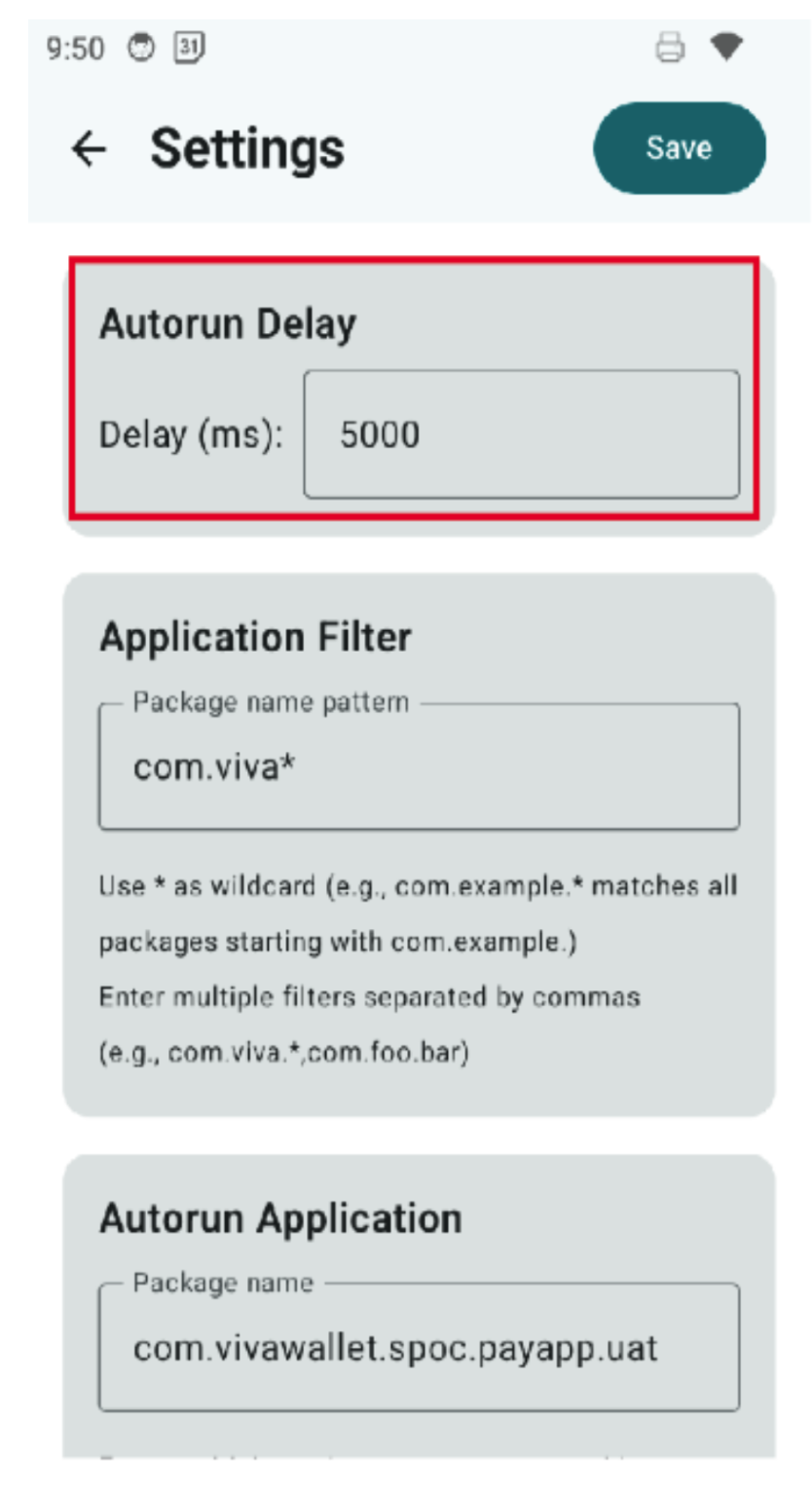
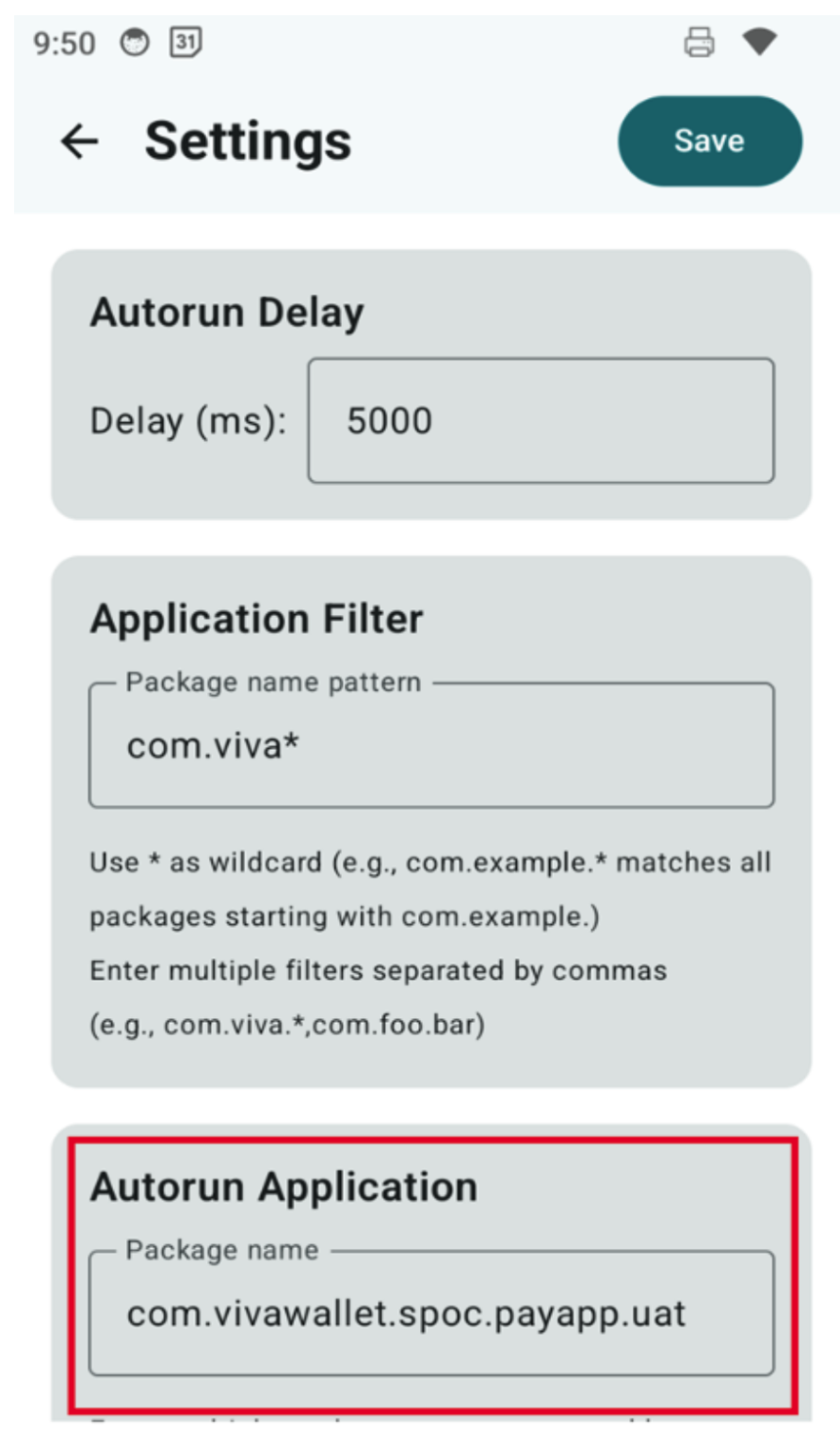
1️⃣ Autorun Delay
Defines the time delay before the default application starts after the launcher is activated.
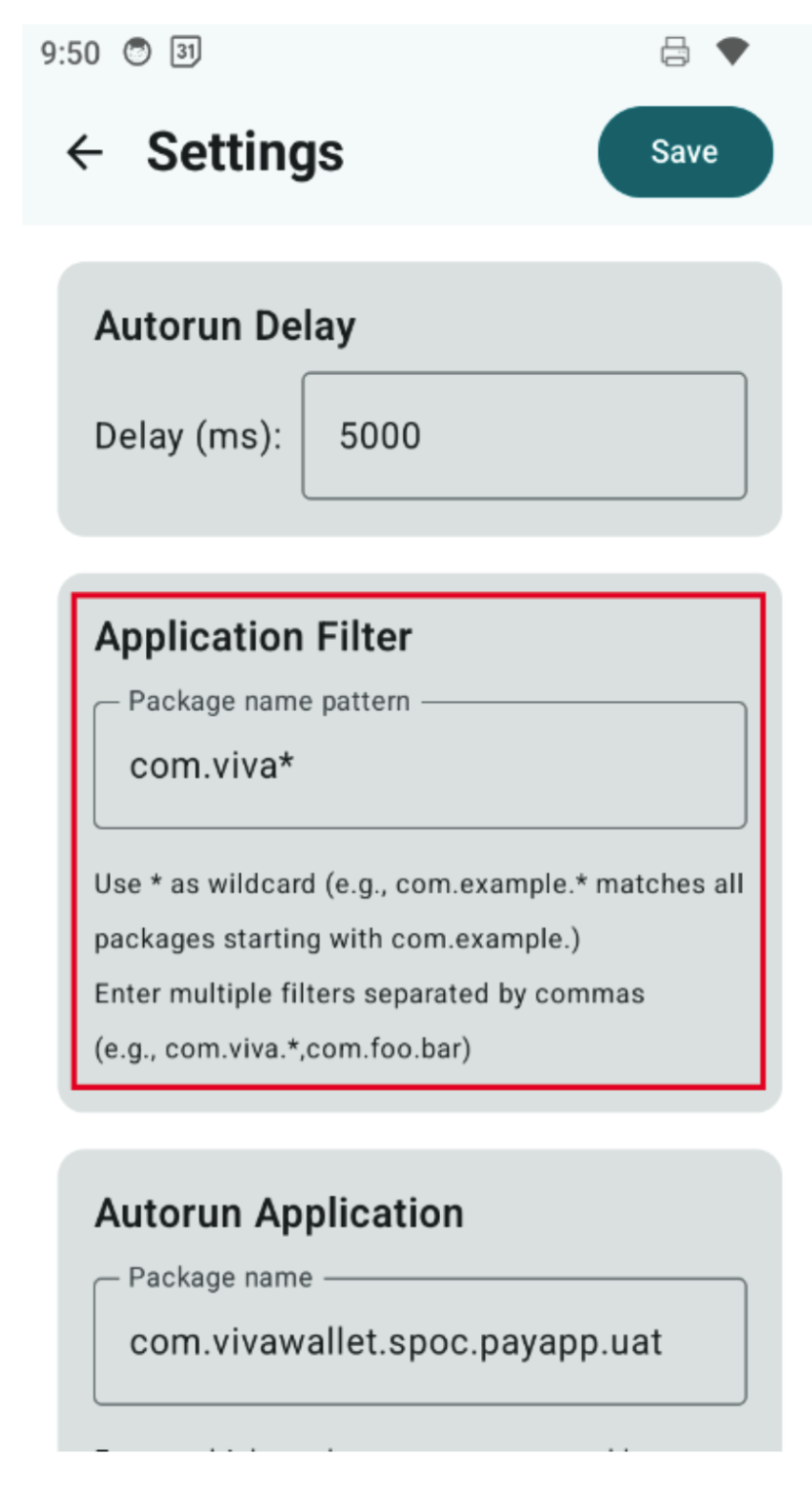
2️⃣ Application Filter
Controls which applications are visible and accessible on the device.
3️⃣ Autorun Application
Specifies the application that will automatically launch when the device starts.
4️⃣ Launch Mode Controls
👉 Enter Launch Mode
Activates the launcher overlay, enforcing unattended behavior and restricting access.
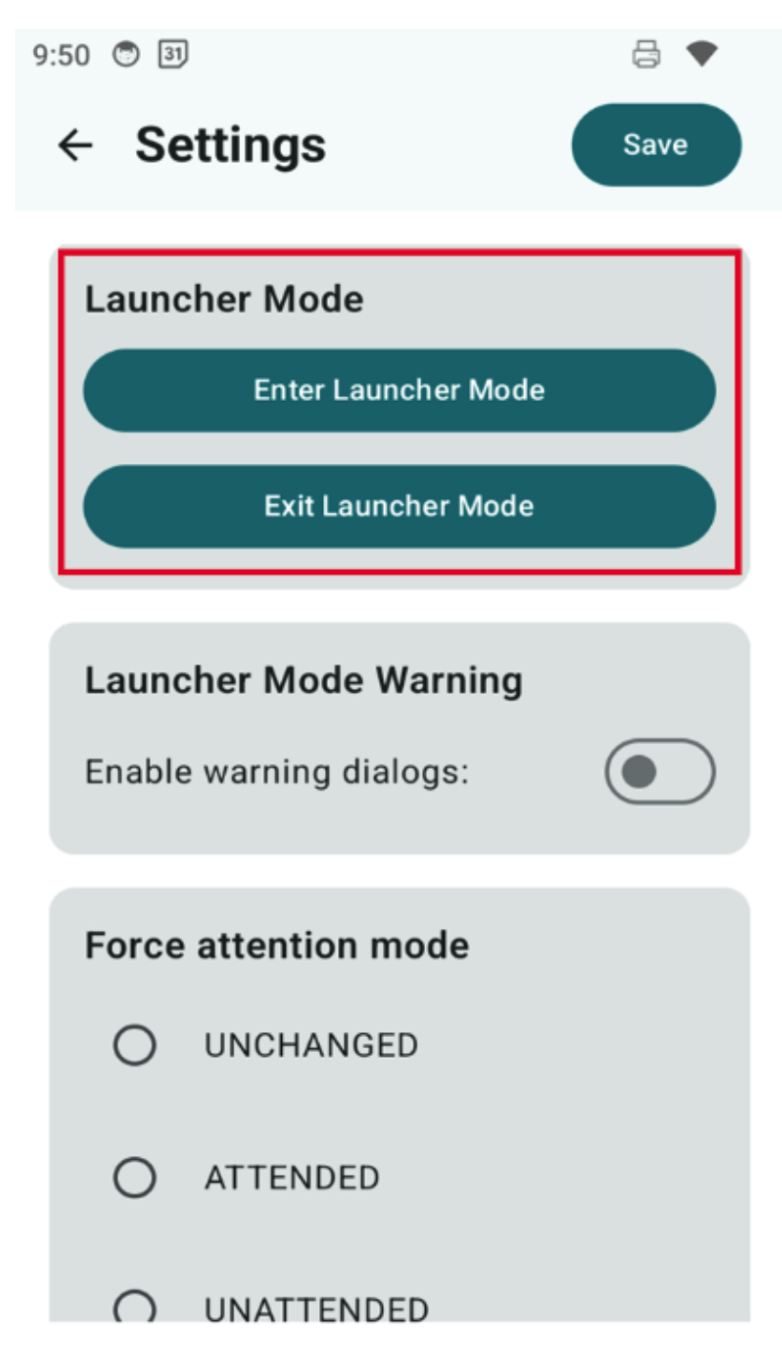
👉 Exit Launch Mode
Disables the launcher, allowing access to device settings. This is typically used for:
- Adjusting brightness
- Updating configurations
- Performing maintenance tasks
5️⃣ Set Autostart Mode for Viva SoftPOS
Configures automatic startup behavior for the Viva SoftPOS application.
Get Support
If you would like to integrate with Viva, or if you have any queries about our products and solutions, please see our Contact & Support page to see how we can help!