This page explains the Advanced Settings menu in the Viva.com Terminal App, including what each option does and how it affects background services, session handling, logs, and user status updates.
Advance Settings Options
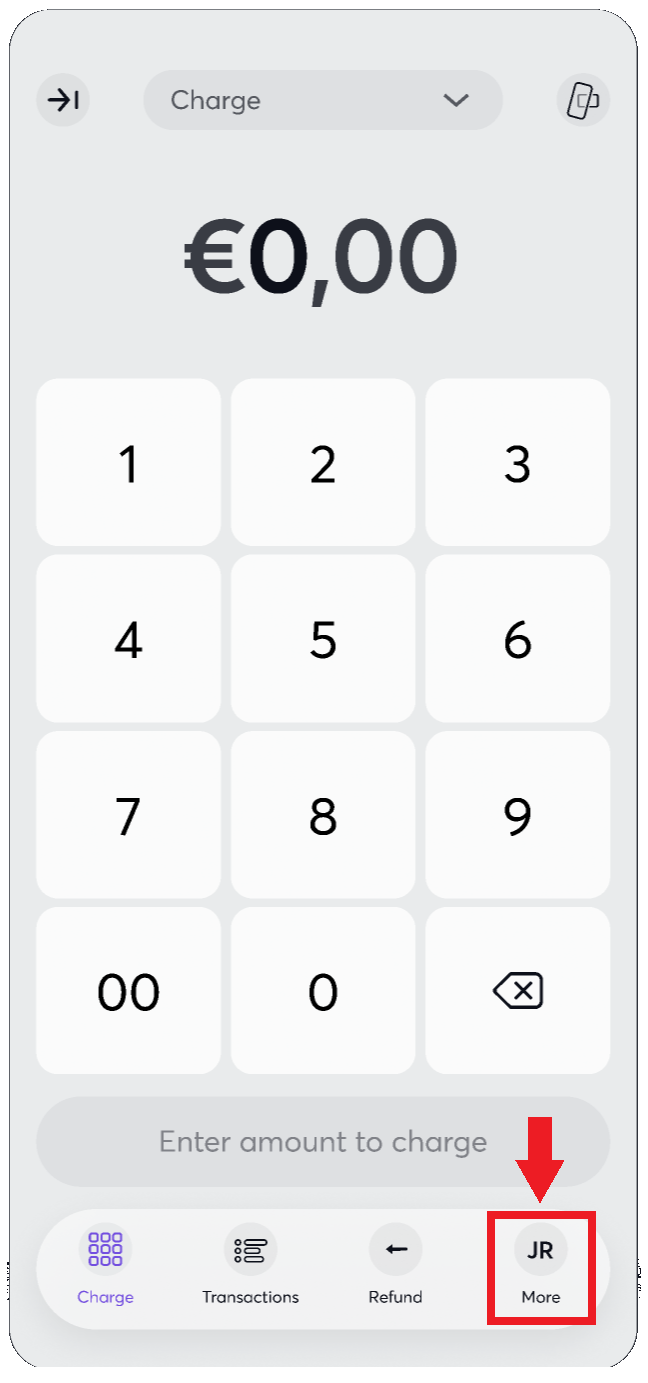
To access Advance Settings, open the ‘Viva.com Terminal’ application and select in the bottom menu the More option:
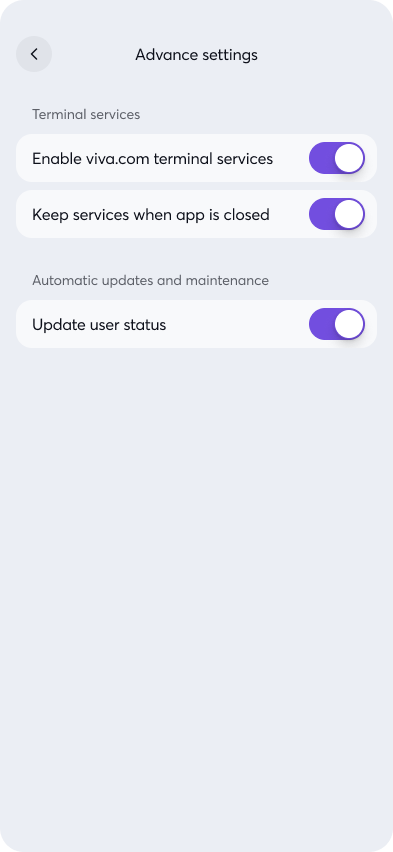
Navigate to the Advanced Settings menu to view the available options:
Enable Terminal Services
When this option is enabled, the Viva app continues running in the background and is not stopped by Android system services. As a result, when the user opens the Viva app again, it will not be loaded from scratch. Instead, the current active session will be brought back to the foreground. This option also enables the app to send logs automatically every 10 minutes.
Keep Services When App Is Closed
When this option is enabled, the app services remain active on the device even when the user closes the Viva app. This ensures that the required background services continue running and remain available through the device services.
Update User Status
This option updates the user token against our backend services in order to refresh the token and keep the user status up to date.
Get Support
If you would like to integrate with Viva, or if you have any queries about our products and solutions, please see our Contact & Support page to see how we can help!