
IRIS (for POS)
Information on the IRIS payment method for POS.
Introduction
IRIS is a new payment method that allows your customers to complete their payments by scanning a QR code and logging into their bank environment, approving a specific payment. This method operates for all Greek banks and reaches almost all Greek users who use mobile banking solutions. By default, all merchants in Greece have the obligation to accept payments through IRIS. Some of the main benefits of offering IRIS as a payment method are: - Easy to use: There is no need for the users to carry credit or debit cards. Buyers can quickly pay within their bank environment. - Availability: IRIS is a popular payment method within Greece and increases conversion for Greek merchants.
⚠️ In the cases where your ERP/Cashier system is responsible for submitting transaction details to the licensed e-invoicing provider, you should contact your ERP vendor/e-invoicing providers to ensure that IRIS transactions are also properly transmitted and reported to AADE.
Details
- How to activate: Please refer to the How to activate section below
- Payment method type: Synchronous - payments are confirmed immediately.
- Refunds: Supports partial and full refunds
- Recurring payments: Not yet supported
- Pre-authorizations: Not yet supported
- Tips: Tipping functionality is supported
- Restricted MCC: All Greek Merchant Categories are eligible to have IRIS activated
- Μerchant countries: Available for merchants registered in Greece only
- Customer countries: Available to customers in Greece only
- Pricing: Please refer to our pricing page under the main navigation for more information
- Settlement: Customer payments are deposited next day into your business account for confirmed payments / successful transactions (i.e. have statusId = F)
- Cross-currency payments: Not yet supported
- ISV: Supports ISV Program
How to activate IRIS
| Environment | Activation details |
|---|---|
| Production | IRIS is activated by default, meaning no extra setup is required from the merchant. |
| Demo | This payment method is available on demo environment. |
If you desire for the IRIS payment method to be deactivated, please contact us via the Live Chat function(which can be found in your Production Viva self-care account).
User Experience
All merchants accepting payments in Greece must offer IRIS as a payment option.
Viva.com supports IRIS acceptance in POS through:
- Viva Terminal App (Android & iOS)
- Paydroid Viva Softpos
Client Journey
Point of Sale (POS)
- The cashier system triggers a payment request on the POS.
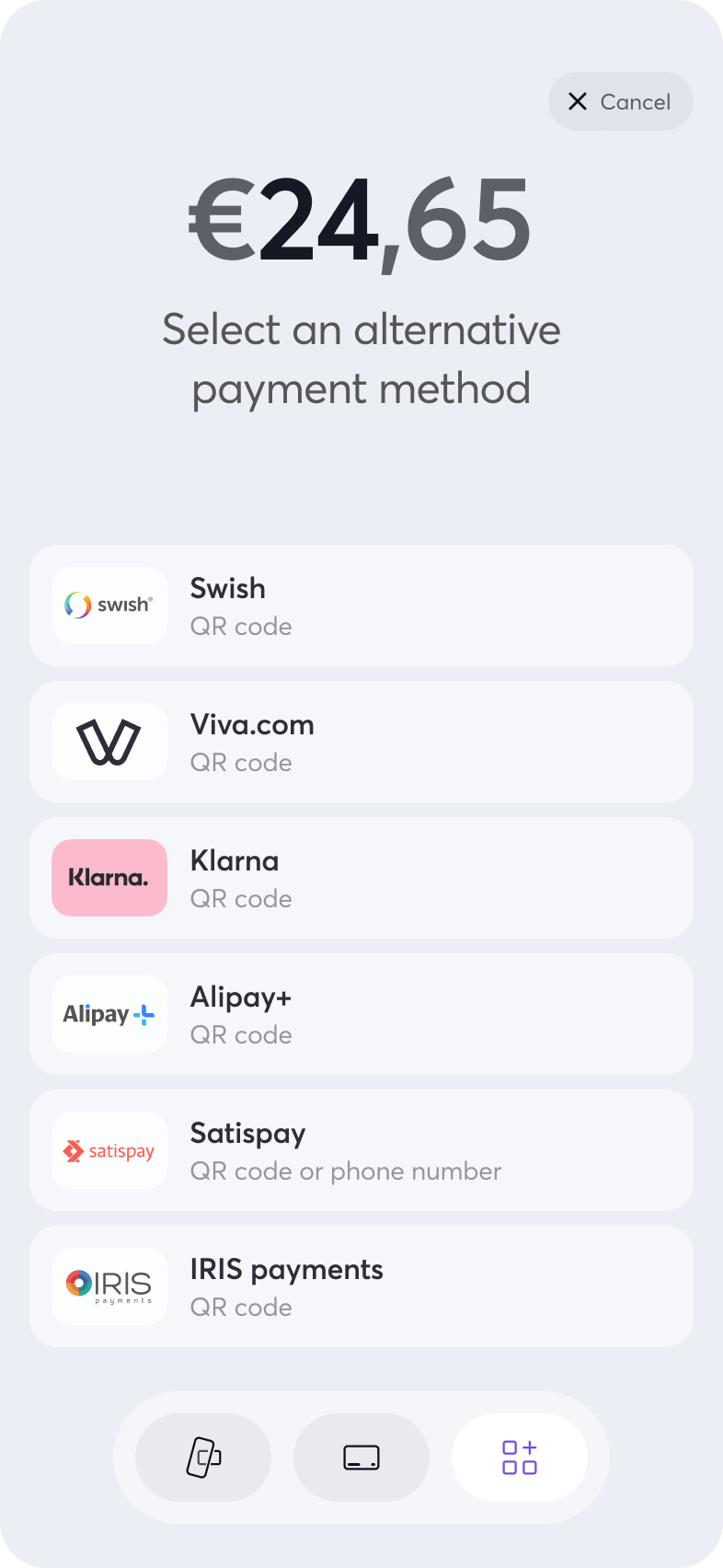
- The customer selects IRIS as the payment method.
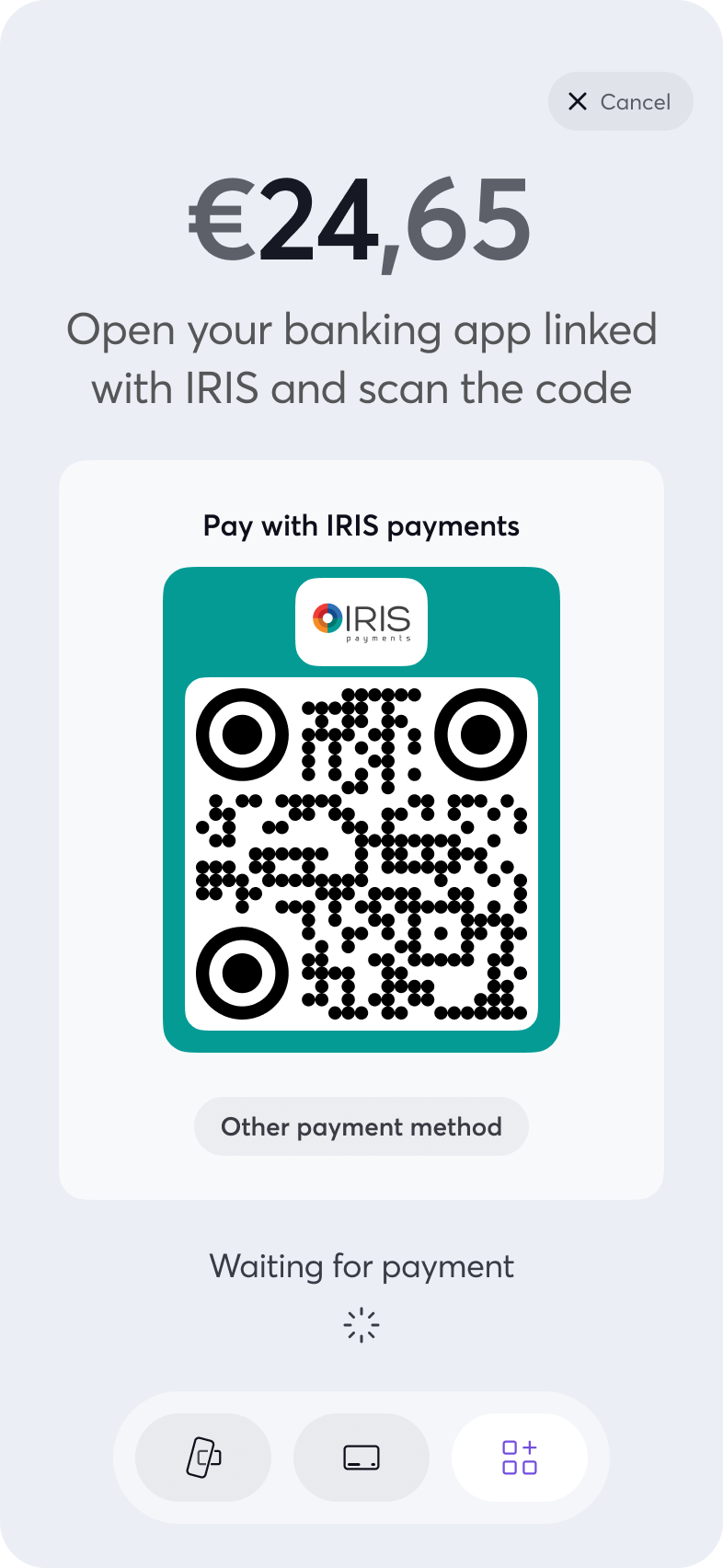
- The terminal generates and displays a dynamic QR code.
- The customer opens their mobile banking app, selects IRIS / Instant Pay, and scans the QR code.
- The bank app prompts for customer authentication (SCA).
- The customer approves the transaction within their bank app.
- The payment is executed instantly, and the Viva terminal displays Approved, printing or exporting a receipt accordingly.
You may find below the UI user experience:
Integration Protocols
Point of Sale (POS)
Viva supports the integration protocols below:
- App 2 App (Android & iOS)
- Cloud Rest API
- Local Terminal API (Peer-to-Peer)
All the above integration protocols are fully functional and supports IRIS as payment method.
A) In each integration protocol, has been added to the sales payment request, an OPTIONAL parameter, named paymentMethod. With this parameter, specified by the cashier system, the preselected payment method on POS.
At the same time, the customer can manually choose the payment method at the terminal.
The possible values are the below:
- CardPresent
- MOTO
- QrDefault
- AliPay
- Paypal
- Klarna
- IRIS
B) For App2App, Cloud Rest API & Local Terminal API integration protocols the cashier system will retrieve - as now gets - the final payment result and will identify the method using the transactionTypeId parameter value that exposed in the response.
You may find all the list possible values in the below link here
C) For the ECR (TCP/IP) integration protocol, the cashier system will retrieve - as now gets - the final payment result and will identify the method using the cardTypeResp parameter value which will be IRIS and exposed in the response.
💻 Test IRIS in Demo
Since no mobile banking demo app exists, Viva simulates two specific amounts to enable end-to-end IRIS transaction testing on POS. For successful transactions, you may set the amount 7,34€. For failed transactions, you may set the amount 7,35€.
Frequently Asked Questions
IRIS Payment Method Integration
1) I am already integrated with Viva. What should I do to start accepting payments through IRIS?
IRIS is an additional payment method, similar to existing card payments, and will automatically be available on Viva POS terminals starting 1st of December.
Viva has enhanced its integration protocols to include the option of specifying IRIS as a pre-selected payment method, or leaving it as an optional selection by the customer.
2) Should IRIS be set as the pre-selected payment method for every transaction?
No. It is not mandatory for IRIS to be preselected; however, it is mandatory to offer IRIS as an available payment method in every sales request.
3) I am not sure if IRIS is activated on my merchant account.
Since IRIS was introduced as an optional payment method, we strongly recommend that you contact us. to confirm whether it is already active on your account.
If not, please request its activation to ensure you can start accepting IRIS payments.
4) Do I need to declare my IBAN to AADE to get IRIS payments?
Yes. To receive payments through IRIS, you must declare the IBAN linked to your IRIS activation with AADE (the Independent Authority for Public Revenue).
5) I am unsure whether I should set IRIS as the preselected payment method, and how to do so.
As mentioned, setting IRIS as preselected is optional, but offering it as a payment method in every sales request is mandatory.
The main difference between having IRIS preselected or not lies in the payment flow:
- If IRIS is preselected, the cashier must first confirm with the customer that they wish to pay via IRIS before initiating the transaction.
- If IRIS is not preselected, the customer will need to interact with the POS terminal to manually select IRIS as their preferred payment method.
In both scenarios, the user may change the payment method directly on the terminal at any time.
6) I want IRIS to be set as the pre-selected payment method. What will the process look like?
The process flow is as follows:
1) The cashier asks the customer for their preferred payment method.
2) The customer chooses to pay using IRIS.
3) The cashier selects IRIS as the payment method in the ERP system.
4) A sales request is triggered with paymentMethod = IRIS.
5) The payment is routed to the terminal, where the IRIS QR code is displayed for the customer to complete the transaction.
7) Which is the IRIS QR code lifespan?
The IRIS QR code is valid for 3 minutes on POS. For integration cases, it is strongly recommended to setup a time out in your ERP/Cashier system for 3 minutes.
8) Except for the above specific amounts, should I do something else?
You should install specific demo versions to your device and to execute your test cases scenarios setting the above specific amounts (for failed and success payment results)
9) IRIS will be activated automatically?
Viva will activate automatically the IRIS as payment method from 1st of December for each merchant account that has been registered in Greece.
10) As Viva will activate the IRIS functionality and my POS is already integrated, do I need to take any further action on my ERP/Cashier system?
Yes. Since your ERP/Cashier system is responsible for submitting transaction details to AADE, you should contact your ERP vendor or AADE provider to ensure that IRIS transactions are also properly transmitted and reported to AADE.
Get Support
If you would like to integrate with Viva, or if you have any queries about our products and solutions, please see our Contact & Support page to see how we can help!