
Rebate and Fast Refund
How to make Rebates and Fast Refunds in Tap On Phone
Overview
2. In order for a terminal to support Fast Refund & Rebate functionalities, it must be activated by the Admin user of the account
👉 Rebate request is used to process a rebate to a Visa, Mastercard, or Maestro card (where supported by the customer’s bank). Some use cases include cardholder rewards, loyalty programs, and offering a rebate/incentive program for reusable items like cups during a concert, etc.
👉 Fast Refund request is used to perform a ‘fast refund’ for a payment made with a Visa, Mastercard, or Maestro card (where supported by the customer’s bank)
Please follow the below steps to use Rebate and Fast Refund in standalone mode.
- Inter-app - Rebate
- Inter-app - Fast Refund
- Cloud Terminal Api - Rebate
- Cloud Terminal Api - Fast Refund
Rebate
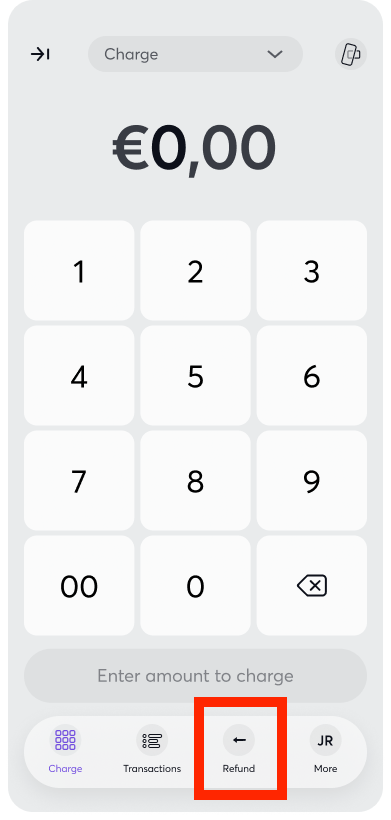
- On the main screen, press Refund button at the bottom menu:
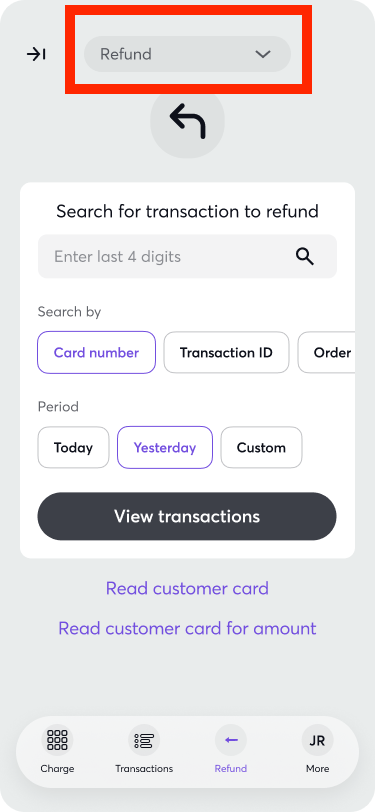
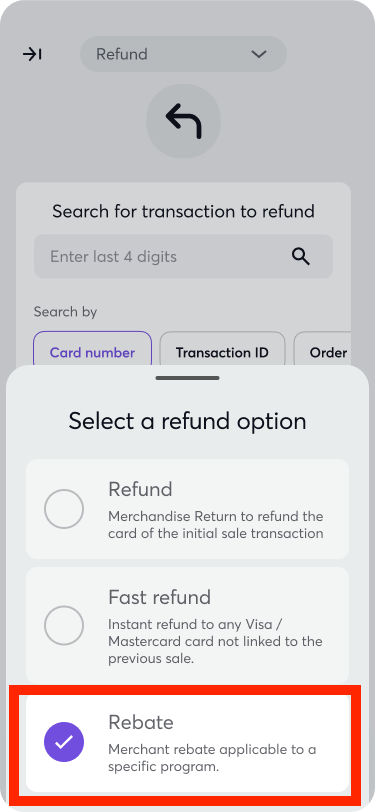
- Click Refund option and select Rebate:
Enter the amount for Rebate:
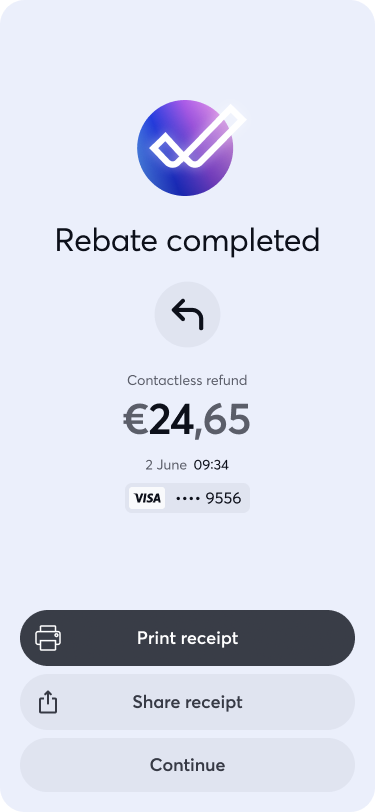
Rebate is completed succesfully:



Fast Refund
- On the main screen, press Refund button at the bottom menu:
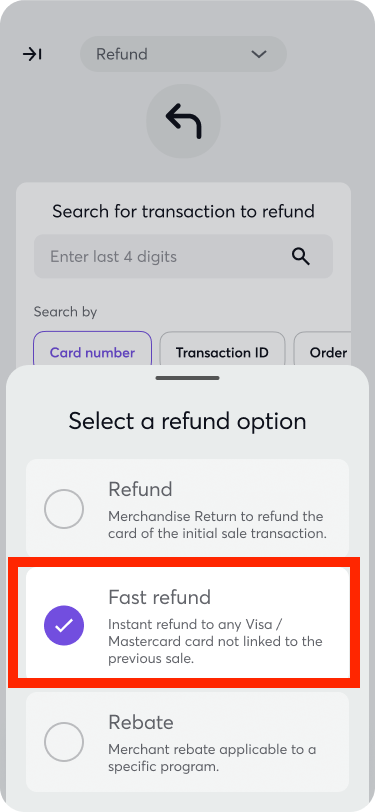
- Click Refund option and select Fast Refund:
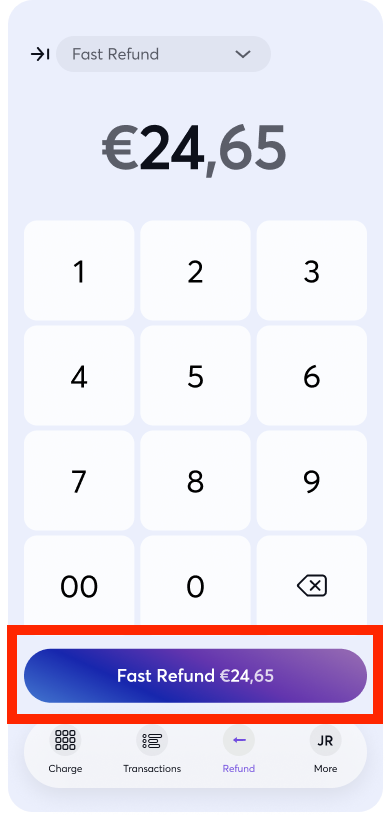
Enter the amount for Fast Refund:
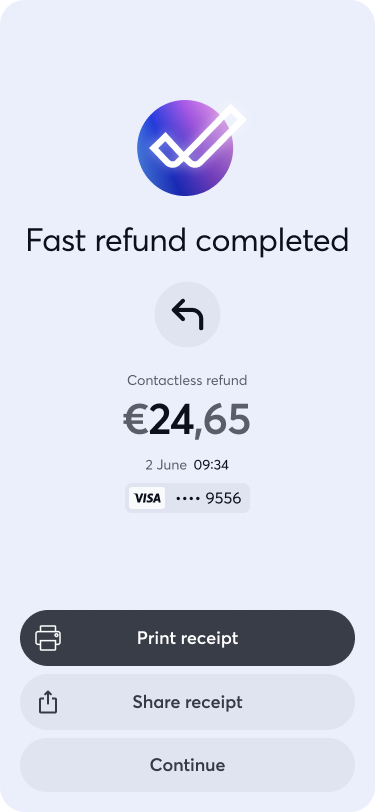
Fast Refund is completed succesfully:

Get Support
If you would like to integrate with Viva, or if you have any queries about our products and solutions, please see our Contact & Support page to see how we can help!